

Understanding VR-Ready PC Essentials
Building a PC capable of supporting the Meta Quest 3 Link is a task that demands precision and up-to-date hardware knowledge. The Meta Quest 3 Link requires a system optimized for smooth VR gameplay and high bandwidth data transfer.
Key PC components directly influence the VR experience, from graphics rendering to latency reduction. Ensuring your build meets these components’ requirements is critical for uninterrupted immersive sessions.
Processor Requirements
The CPU is the backbone of any VR-ready build. Meta Quest 3 Link demands a powerful processor to handle VR applications and multitasking with ease.
Intel i5 11th generation or AMD Ryzen 5 5600X and above are recommended to sustain VR workloads. These processors offer excellent performance without creating bottlenecks in VR data processing.
Graphics Card Essentials
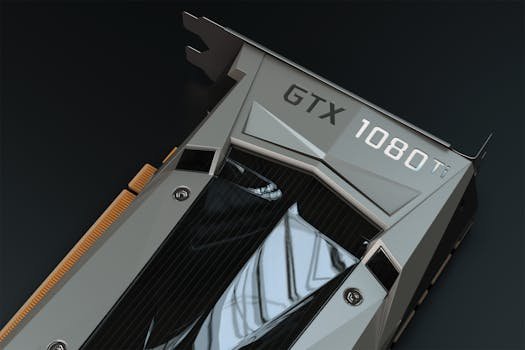
A robust GPU is indispensable for rendering the detailed VR environments Meta Quest 3 Link delivers. The graphics card must support at least DirectX 12 and have sufficient VRAM for high-resolution textures.
NVIDIA RTX 3060 or AMD Radeon RX 6600 XT and above are ideal choices. These cards provide the power required for high frame rates, reducing motion sickness and enhancing immersion.
Memory and Storage Specifications
System memory is vital for VR applications that require rapid access to large datasets. Meta Quest 3 Link recommends a minimum of 16GB RAM to manage VR software and background processes.
High-speed storage also plays a role in loading times and responsiveness. Solid State Drives (SSDs) with NVMe technology are preferable for their superior read/write speeds.
Recommended RAM and Storage Types
DDR4 RAM with speeds of at least 3200 MHz is standard for VR-ready PCs. Faster RAM can marginally improve performance but is not as critical as overall capacity.
NVMe SSDs with at least 512GB capacity balance cost and functionality well. This storage size accommodates VR games, software, and system files comfortably.
Connectivity and Peripherals for Meta Quest 3 Link
Linking the Meta Quest 3 headset to a PC requires appropriate connectivity options. USB 3.2 Gen 1 or better connections ensure swift data transfer with minimal latency.
Choosing the right cables and ports influences the stability of the VR experience. Users should prioritize USB-C or USB-A ports, depending on the headset’s included accessories.
Audio and Input Devices
Immersive VR depends heavily on audio quality and input responsiveness. Using high-quality headphones and VR controllers that support low latency guarantees a fully engaging experience.
Optional peripherals such as external microphones or haptic feedback devices add to the realism. These accessories can be integrated seamlessly with Meta Quest 3 through its PC Link capabilities.
Power Supply and Cooling Systems
Powering a VR-ready PC with stable and reliable energy delivery is fundamental. The power supply unit (PSU) must accommodate the needs of high-performance GPU and CPU components.
A PSU rated at 650 Watts or higher with an 80 Plus Gold certification is recommended. Adequate cooling solutions like liquid cooling or multiple high-quality fans prevent thermal throttling under VR loads.
Thermal Management Strategies
VR workloads increase component temperatures significantly, making cooling essential for sustained performance. Case airflow design should prioritize front-to-back ventilation with dust filters.
Monitoring software that tracks temperature and fan speeds helps maintain optimal operating conditions. Overheating risks can be minimized by adjusting fan curves and ambient room temperature.
System Compatibility and Software Configuration
Ensuring hardware compatibility with Meta Quest 3 Link software is crucial for smooth integration. Oculus PC app installation and updates are mandatory for linking the headset to the PC.
Drivers for GPU, USB controllers, and chipset must be the latest versions released. Compatibility issues arise when outdated drivers or unsupported operating systems are present.
Optimizing Windows Settings for VR
Windows 10 (64-bit) or Windows 11 are the recommended operating systems for Meta Quest 3 PC Link. System power settings should be adjusted to high performance mode to prevent resource throttling.
Disabling unnecessary background applications frees up system resources, enhancing VR responsiveness and stability. Additionally, setting Oculus software to auto-start can streamline VR session initiation.
Building a Balanced VR-Ready PC
The ideal Meta Quest 3 Link PC build balances CPU, GPU, memory, and storage without overspending on any single component. This balance ensures a smooth and consistent VR experience aligned with user budgets.
Peripheral and connectivity considerations complete the build, providing a comprehensive VR-ready ecosystem. Customized builds can also incorporate future-proofing elements such as upgrade paths and modular components.
| Component | Recommended Specification | Purpose |
|---|---|---|
| Processor (CPU) | Intel i5 11th Gen / AMD Ryzen 5 5600X+ | Handles VR application processing |
| Graphics Card (GPU) | NVIDIA RTX 3060 / AMD RX 6600 XT+ | Renders VR visuals at high frame rates |
| Memory (RAM) | 16GB DDR4 3200MHz minimum | Supports VR software and multitasking |
| Storage | 512GB+ NVMe SSD | Fast loading and responsiveness |
| Power Supply Unit | 650W 80 Plus Gold certified | Reliable power delivery |
| Connectivity | USB 3.2 Gen 1 or better | Ensures low latency headset connection |
| Cooling | Efficient airflow or liquid cooling | Prevents overheating during sessions |